
GPU Resources
The HPC cluster has a total of 32 NVIDIA L40S GPUs,GPUs and an NVIDIA A30 spread across various hosts and resources.
Interactive Apps
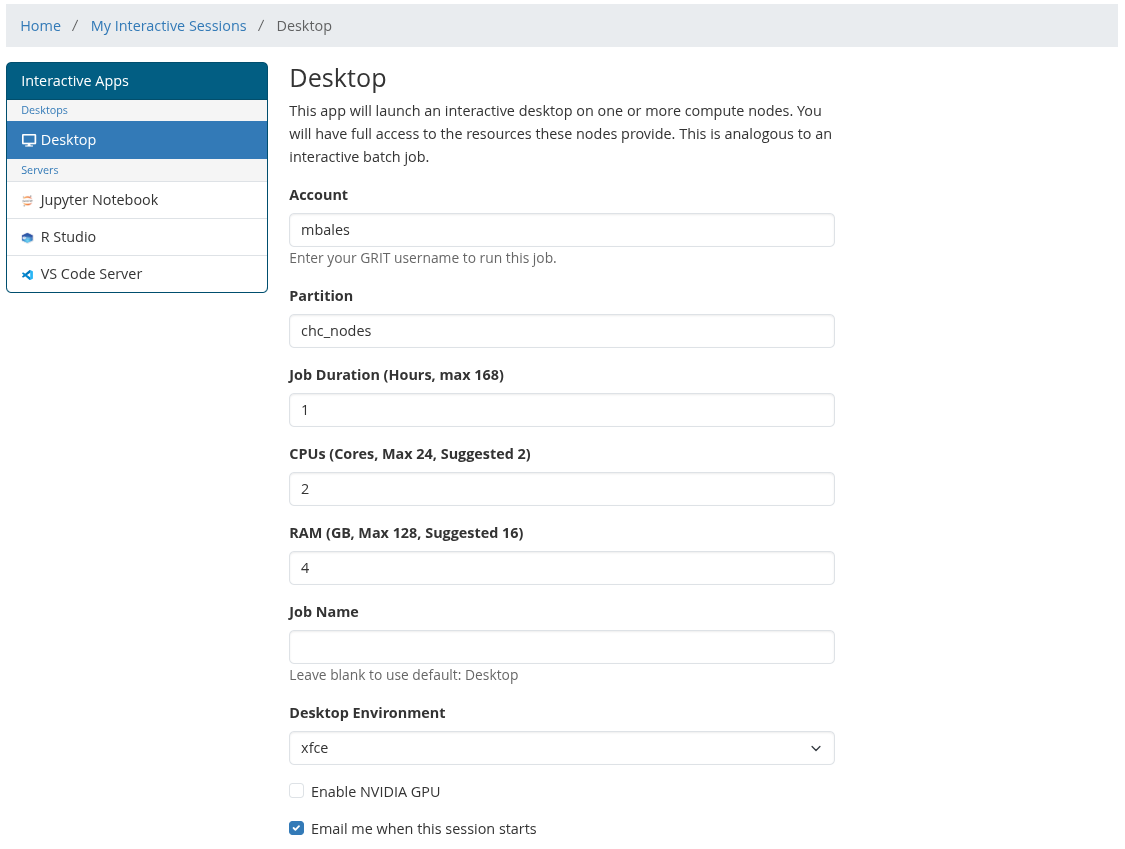
To access theseGPU resources via the Open OnDemand web uiUI, simply checkuse the Enable NVIDIA GPU boxoptions at the bottom of the interactive session formform.
There are two GPU request modes:
- Full GPU — reserves an entire GPU for your
interactivejob.sessionUsewillthisbeforstartedlargewithtrainingaccessjobs,toGPU-heavy applications, or jobs that need most or all GPU memory. - Shared GPU shards — requests a portion of a GPU. Use this for light interactive GPU work, testing, notebooks, MATLAB GPU checks, or jobs that do not need an entire GPU.
GPU shards allow multiple jobs to share the same physical GPU. Shards are scheduled by Slurm, but they are not the same as NVIDIA MIG and do not provide hard GPU memory isolation. If your job may use a large amount of GPU memory, request a full GPU instead.
SLURM CLI
GPU resources can also be accessaccessed via the SLURM CLI. Below are some examples:examples.
Request a full exclusive GPU:
#!/bin/bash
#SBATCH -J gpu-l40s-test
#SBATCH -p grit_nodes
#SBATCH --gres=gpu:1
#SBATCH --cpus-per-task=8
#SBATCH --mem=32G
#SBATCH -t 01:00:00

nvidia-smi
<your command here>orFull asGPU a one one-liner:
srun -p grit_nodes --gres=gpu:1 --cpus-per-task=4 --mem=16G --pty <your command here>#!/bin/bash
#SBATCH -J gpu-shard-test
#SBATCH -p grit_nodes
#SBATCH --gres=shard:4
#SBATCH --cpus-per-task=4
#SBATCH --mem=16G
#SBATCH -t 01:00:00
nvidia-smi
<your command here>srun -p grit_nodes --gres=shard:4 --cpus-per-task=4 --mem=16G --pty <your command here>Notes
The GPU resources work a little differently in SLURM than thefrom CPU and RAM resources. GPU'sA cannotrequest besuch exclusivelyas reserved--gres=gpu:1 inreserves a full GPU for the currentjob. setupA becauserequest wesuch haveas limited--gres=shard:4 requests shared GPU resourcescapacity and SLURMallows cannotmultiple reservejobs anyto less thanuse the resourcessame of the fullphysical GPU.
Use jobs--gres=gpu:1 submittedwhen you need exclusive access to a GPU nodeor mayexpect be sharingheavy GPU resourcesmemory usage. Use --gres=shard:<number> for lighter workloads that can share a GPU with other jobs.
You can check which GPU Slurm exposed to your job with:
echo $CUDA_VISIBLE_DEVICES
nvidia-smi