
An example
In this example, I will create a root site for my user https://tjaart.pages.grit.ucsb.edu
Create a repository
To create a repository, click on the + icon at the top bar, and select "New project repository"

On the next screen select "Create from Template"
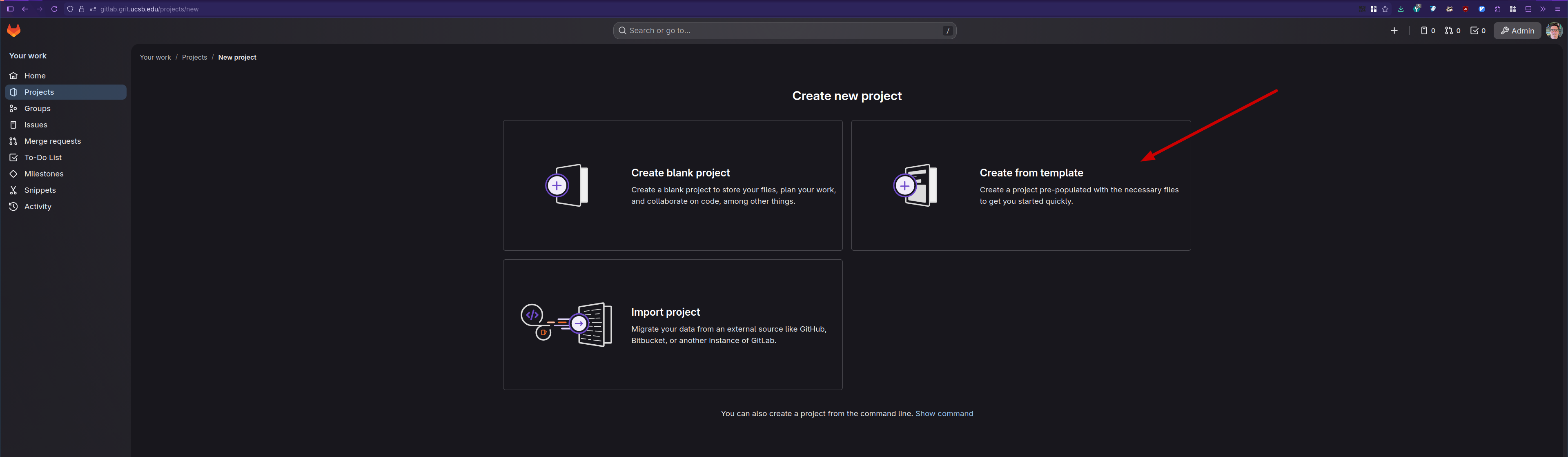
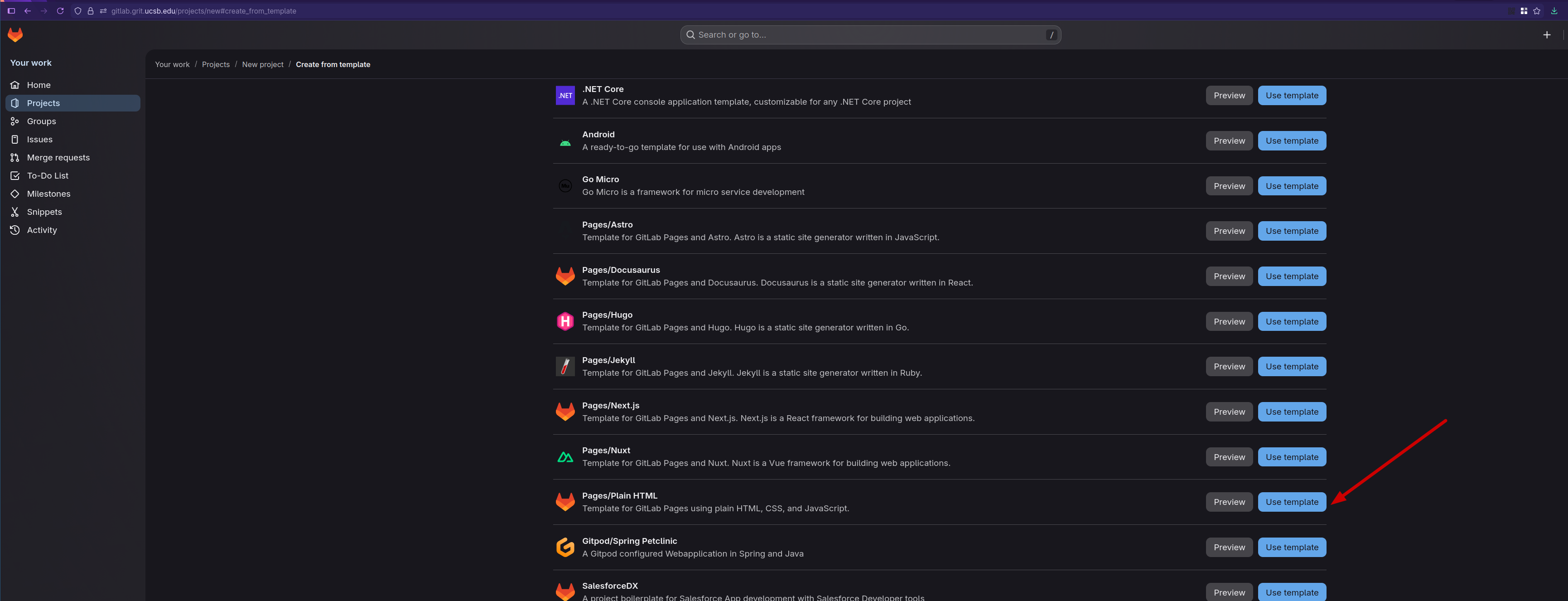
Click "Use Template" on the "Pages/Plain HTML"
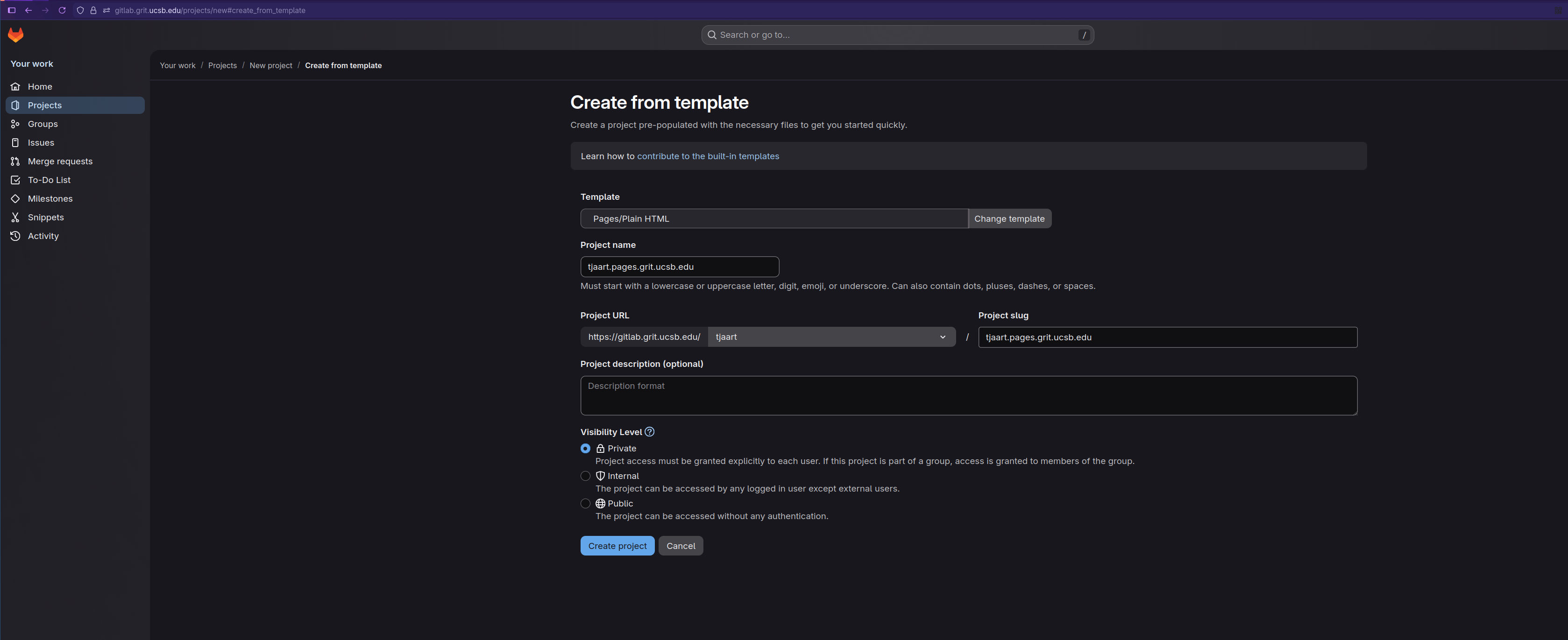
On the next page, you will enter the repository name. This needs to be your_netid.pages.grit.ucsb.edu for our example, it will be tjaart.pages.grit.ucsb.edu.
Under Project URL, you can select your username.
The project slug should be prefilled to be the same as the project name.
You can set any visibility level. Once done, click Create Project
With the repository created, you can use any Git tools to modify the files in the public/ directory, and push the changes to the master branch. If you are not familiar with Git, the easiest way to get started is to use the webIDE.